
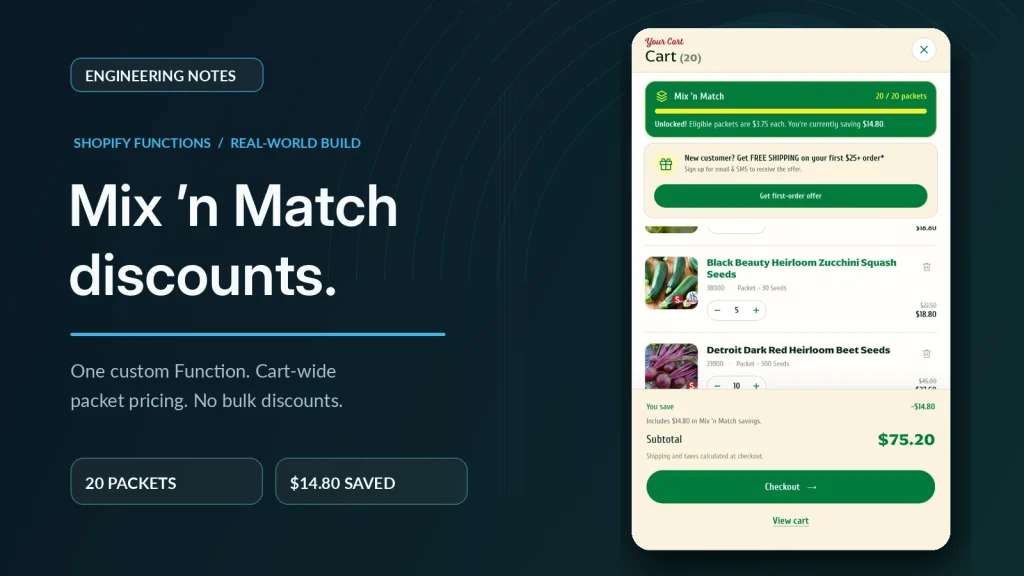
Seeds ‘n Such has a simple offer: buy enough seed packets and every packet gets cheaper. Any mix counts. Ten different tomatoes, or two each of five vegetables, or one packet each of twenty herbs. That’s the “Mix ‘n Match” part.
There’s one rule that makes it harder than it sounds: bulk seed never counts. A pound of beans shouldn’t push a customer into a packet tier, and it shouldn’t get the packet discount either.
For years that rule was easy to enforce because packets and bulk were separate products. When we rebuilt the Seeds ‘n Such storefront with Fencepost, we merged them into variants of one product. Shopping got simpler. The discount got harder. This post is about how we solved it with a custom Shopify Function.
Why merging packet and bulk changed the problem
Before the redesign, packet and bulk sizes of the same variety were separate products. Three automatic packet discounts supported the Mix ‘n Match offer.
That structure was awkward for customers and for the team. A shopper looking at one variety saw it split across several products, and every variety meant more products to administer.
Putting “Packet” and the bulk sizes on the same product as variants fixed that. But it moved the eligibility question from the product to the variant. “This product qualifies” was no longer true. Only some of its variants did.
Combined Listings or one product with variants
We looked at two ways to present packet and bulk together.
Shopify Combined Listings group separate products under one parent listing. That would have kept packet and bulk as separate products, so product-level discounts would have kept working. In return, we’d have had availability and presentation trade-offs on the storefront, and the team would still be administering multiple products per variety.
One product with packet and bulk variants was simpler for shoppers and staff, and it’s the standard Shopify model. The cost was the discount: it now had to work at the variant level.
We chose variants and took on the discount problem directly.
Why not a native discount or a volume-discount app
Shopify’s built-in automatic discounts can target specific variants. On a catalog this size, that would mean hand-picking hundreds of packet variants, keeping three tier discounts in sync, and remembering to add every new variety. That’s the kind of manual list that quietly falls out of date.
The volume-discount apps we reviewed didn’t fit this merchant’s rule. They either couldn’t target the right variants cleanly, or eligibility depended on lists someone would have to maintain as varieties were added. That doesn’t mean no app can do cross-product tiers. Plenty can. None we looked at matched this combination: variant-level eligibility from catalog data, counted across the whole cart, with explicit exclusions.
Why a custom app with Shopify Functions
Shopify Functions let a custom app replace part of Shopify’s discount logic. The code runs on Shopify’s infrastructure during cart and checkout, not in the theme, so customers can’t bypass it by editing the page.
Seeds ‘n Such is on Shopify Plus, which matters here. Custom apps that contain Functions can only be used on Plus stores. Public apps from the Shopify App Store can use Functions on any plan. We cover the trade-offs in more detail in Shopify Functions vs. public apps.
We built the app in our Shopify Partner account and installed it directly on the store. The merchant manages it from a small settings screen in the Shopify admin.
Eligibility and discount configuration
The core of the Function is one question per cart line: does this variant count?
A variant counts only when both of these are true:
mix_match_eligibleistruepackage_typeispacket
PakPlus and ProPak variants are excluded even though they’re sold alongside packets. Bulk sizes never match package_type = packet, so they’re out by definition.
Eligibility is explicit catalog data on each variant, not something the Function guesses from a product title or tag. New varieties qualify as soon as their variants are set up correctly. Nobody edits a list.
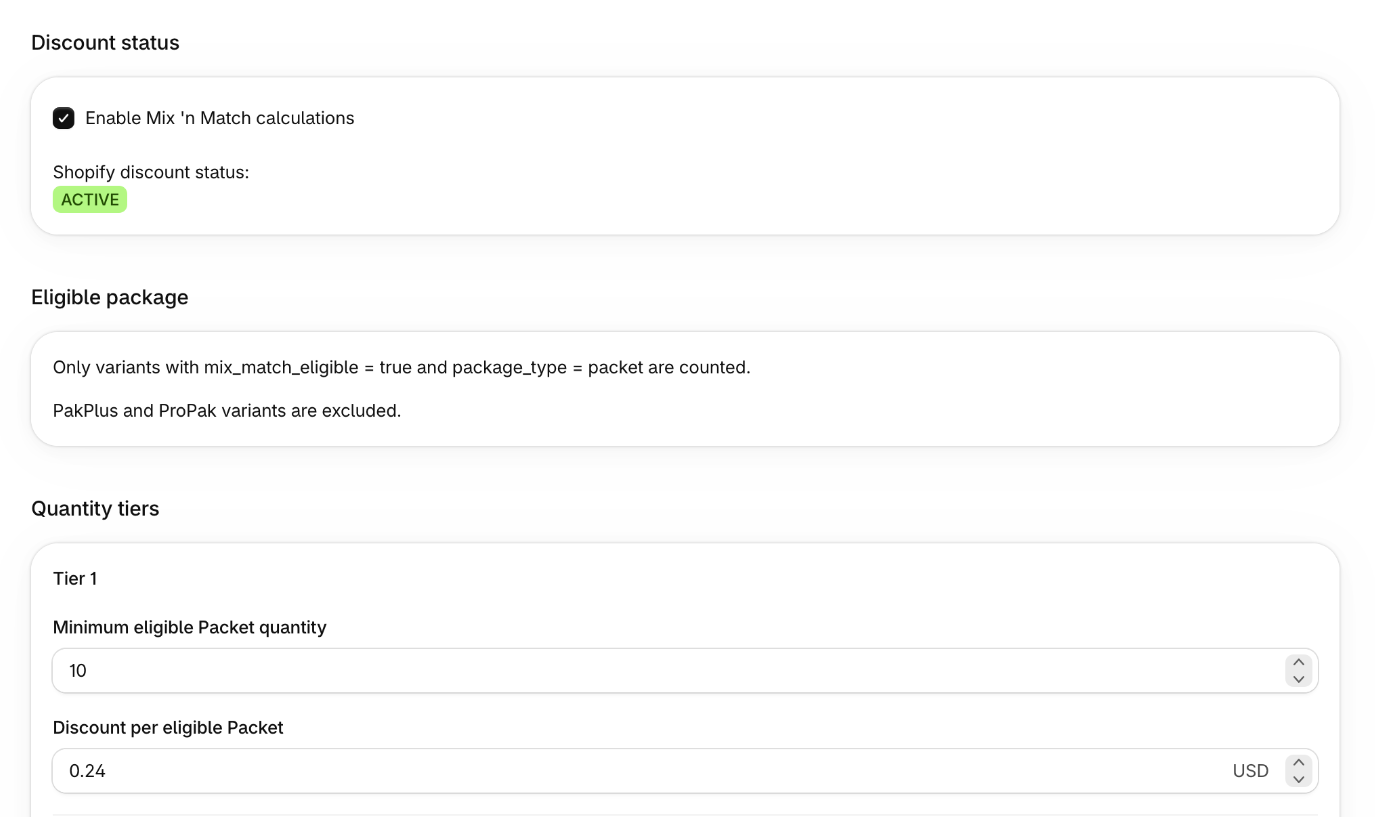
Getting that data right was its own job. Before writing the discount, we audited the catalog across all 1,363 products. The store’s SKU convention helped: packet variants follow a consistent pattern, ending in 00, which made it quick to spot variants that were missing data or labeled inconsistently. The SKU pattern was an audit tool. The Function’s decision rests on the eligibility fields shown above.
Counting across the cart, discounting only packets
The Function adds up the quantity of every eligible line in the cart, across all varieties. That total picks the tier. The discount is then applied only to the eligible lines. A bulk line in the same cart doesn’t add to the count and doesn’t get a discount.
| Eligible packets in cart | Discount per eligible packet |
|---|---|
| Fewer than 10 | No Mix ‘n Match tier |
| 10–15 | $0.24 off each |
| 16–19 | $0.49 off each |
| 20 or more | $0.74 off each |
The tiers are stored as settings in the app, not hard-coded, so the merchant can change thresholds and amounts without a deploy.
In outline, the logic looks like this:
eligible = cart lines where
  variant.mix_match_eligible == true
  and variant.package_type == "packet"
  and variant is not PakPlus or ProPak

count = sum of quantity across eligible

tier = highest configured tier where count >= tier.min
if no tier: return no operations

return operations:
  productDiscountsAdd
    candidates: one per eligible line
      target: that cart line
      value: fixedAmount(tier.amount, appliesToEachItem = true)
Illustrative pseudocode — not the production Shopify Function or a copy-paste-ready API payload. It follows the shape of the current Discount Function API, where the cart.lines.discounts.generate.run target returns operations containing productDiscountsAdd. Older examples that return discounts with a discountApplicationStrategy use the previous API and shouldn’t be copied into new work.
How it works in the cart
Here’s a live cart with 20 eligible packets. The cart counts toward the next tier as the customer adds packets, and once they reach 20, every eligible packet gets $0.74 off. That’s 20 × $0.74 = $14.80 in savings.
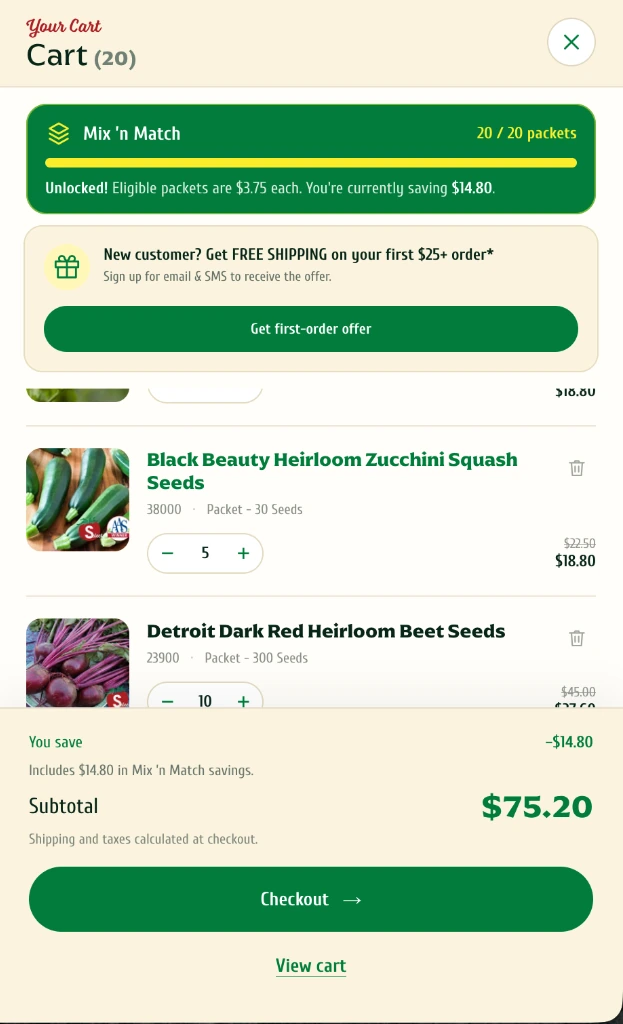
This cart only contains packets, so it shows the tier logic, not the bulk exclusion. Bulk exclusion is something you prove with test carts, not with one screenshot.
What to test before switching it on
A discount like this is mostly edge cases. The test plan we’d use for any Function of this shape covers:
- Tier boundaries: 9, 10, 15, 16, 19 and 20 eligible packets. Off-by-one errors live here.
- Mixed carts: packets and bulk of the same variety together. The bulk line must not change the count or receive a discount.
- Excluded packages: PakPlus and ProPak lines, alone and mixed with packets.
- Missing data: a packet variant without the eligibility fields shouldn’t qualify by accident.
- Overlap: the old automatic packet discounts need to be switched off at cutover, or customers get both.
Usage after launch
In Shopify Analytics for October 11 – November 10, 2026, the discount named Seeds Mix ‘n Match appears on 328 discounted orders, with approximately $25.2K in total sales on those orders.
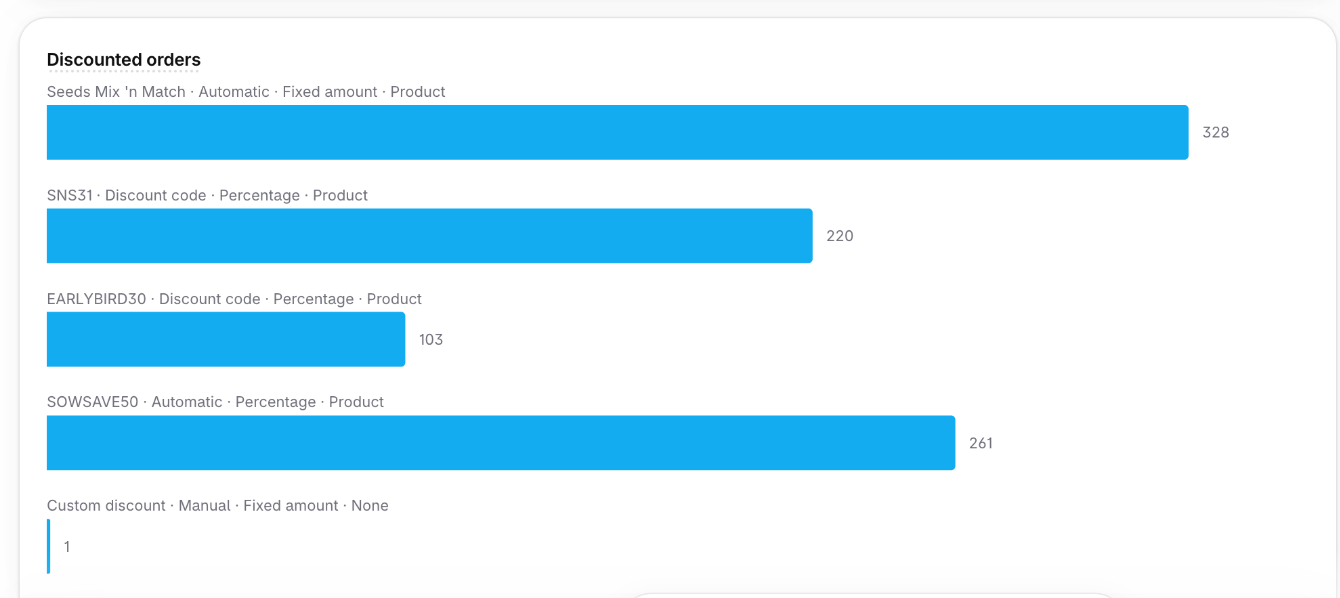
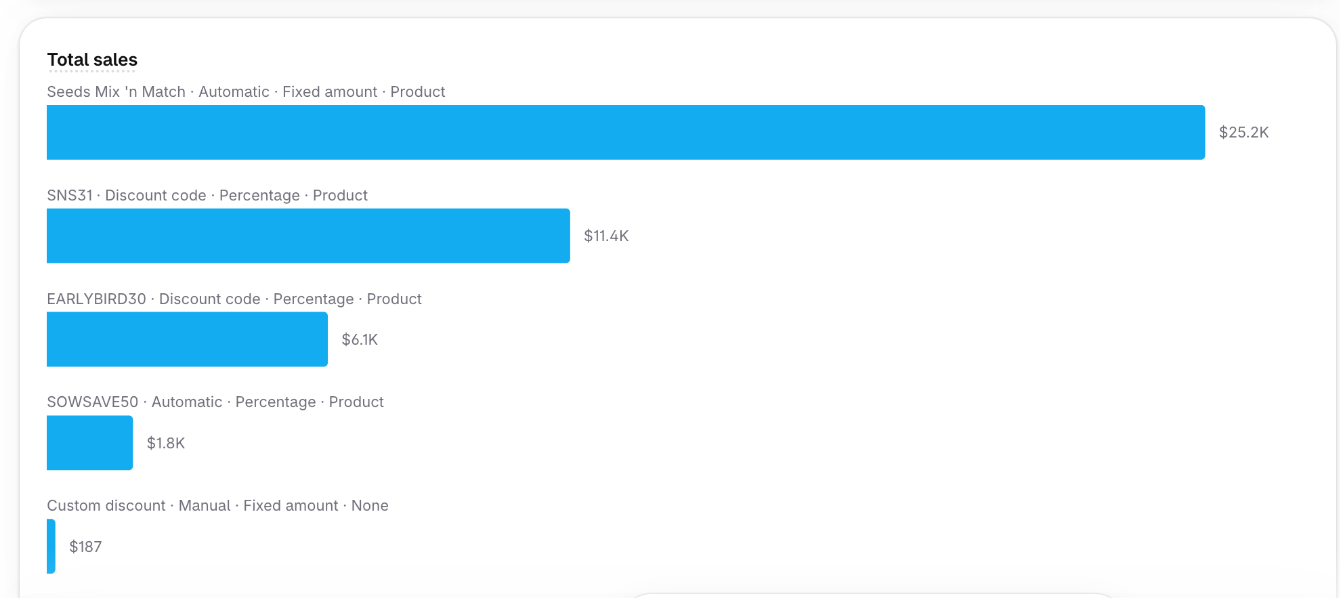
What the numbers do show is that the offer is in regular use after the variant merge, and that the discount applies on real orders, not only in test carts.
When a custom Function is worth building
Most stores don’t need one. If a native discount or a well-maintained app handles your rule, use it.
A custom Function starts to make sense when:
- Eligibility depends on catalog data, such as variant fields, rather than on a product list.
- The rule has to count across many products but discount only some lines.
- The store is on Shopify Plus, or the logic is general enough to justify a public app.
- The catalog changes often enough that hand-maintained lists will drift.
Seeds ‘n Such met all four. For the broader redesign, including crop, goal and zone navigation, see the Seeds ‘n Such case study. The project was delivered in partnership with Fencepost.
Have a discount rule your current setup can’t express? Tell us about it. We’ll say whether it needs a custom build or a setting you haven’t tried yet. More on our Shopify custom apps and Functions work and e-commerce development.